
Installing myScribe on your phone
This guide describes adding the myScribe website to your phone's home screen. There is not yet a public App Store or Play Store release.
On a computer. See Install myScribe on your computer instead: this article is for phones.
iPhone / iPad. A compact card titled "Add myScribe to Home Screen" shows all four numbered instructions together. There is no carousel or initial browser chooser.
- Tap Safari's Share button. If it is hidden, open the three-dot menu first.
- In the Share menu, tap More (the down arrow), if shown.
- Tap Add to Home Screen. Scroll through the actions if needed. If missing, use Edit Actions to add it.
- Turn Open as Web App off, then tap Add. If there is no switch, just tap Add. This preserves the existing browser-shortcut preference.
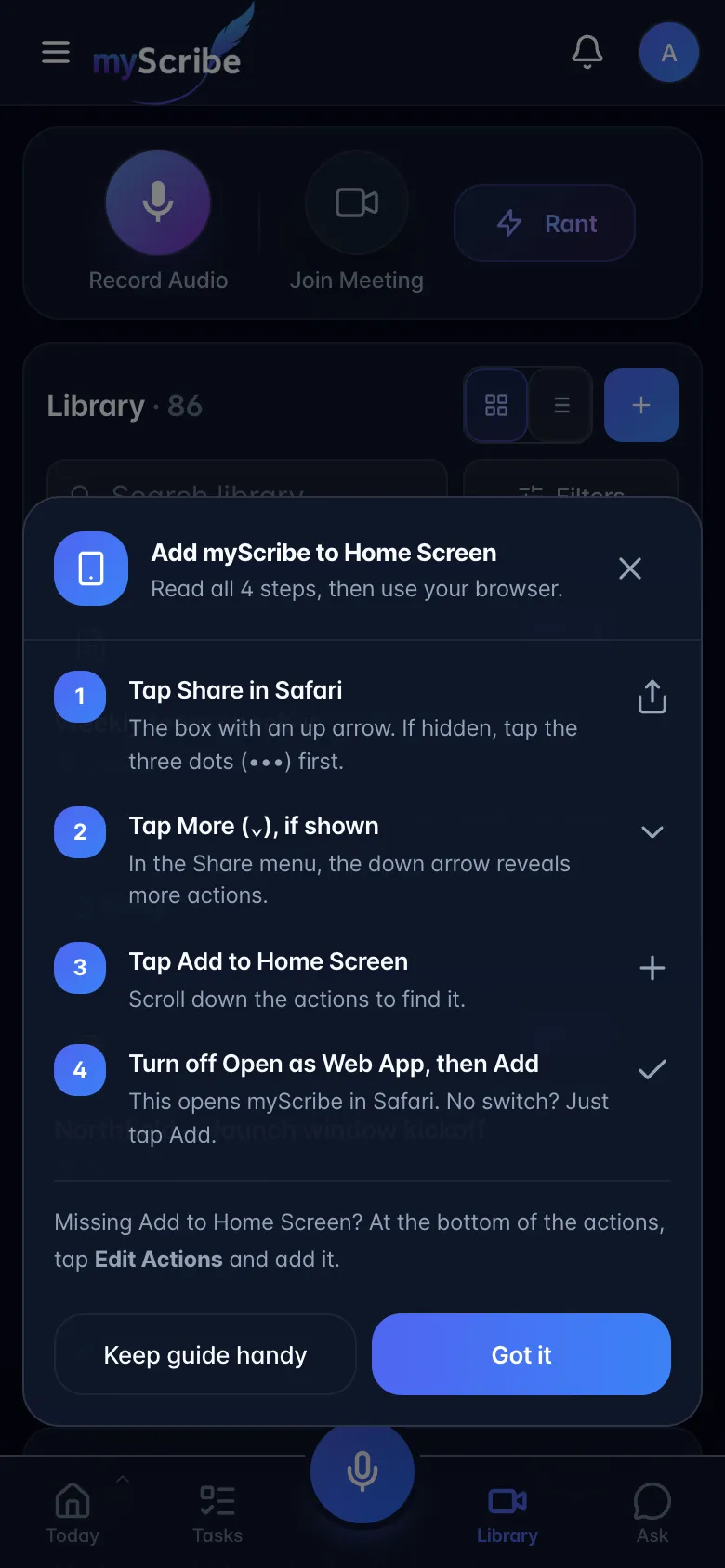
Keep guide handy minimizes the card to a phone icon that reopens the complete guide. Got it closes the guide without claiming installation succeeded; the ✕ dismisses it for good for signed-in users. It can be brought back from Profile → App Settings → Install App Banner → Show.
Menu wording was checked against Apple's current iPad guide and iPhone guide. Android instructions use the same single-card layout, with a browser selector for Samsung Internet.
Gotchas.
- The banner only appears on mobile browsers. It is hidden in a standalone web app and in native builds.
- Guests viewing a share link also see it; for them the ✕ only minimises it to a floating button.
- Tapping anywhere outside the open guide (your avatar, a tab, a task) does what you tapped, and the guide minimizes to its phone icon at the same time. Nothing behind it needs a second tap.
- While Settings is open, the guide steps aside so it never covers Settings controls such as Sign Out. It comes back when Settings closes, minimized if you tapped outside it to get there.
- Step 4 retains the browser-shortcut trade-off: iOS web push requires a standalone web app. The shortcut does not guarantee that the operating system will keep a recording alive when locked.
- Dismissal state is per browser.