
Accepting an invitation
- Open Accept Invitation in the invitation email and sign in with the address that received it. If needed, create an account and complete the verification prompts; the invitation is retained through sign-in.
- Review the inviter and team name, then choose Accept Invitation.
- You can also respond to You're invited to a team inside myScribe. Choose Accept invitation, Decline, or Not now. Not now postpones the prompt; it does not decline the invitation.
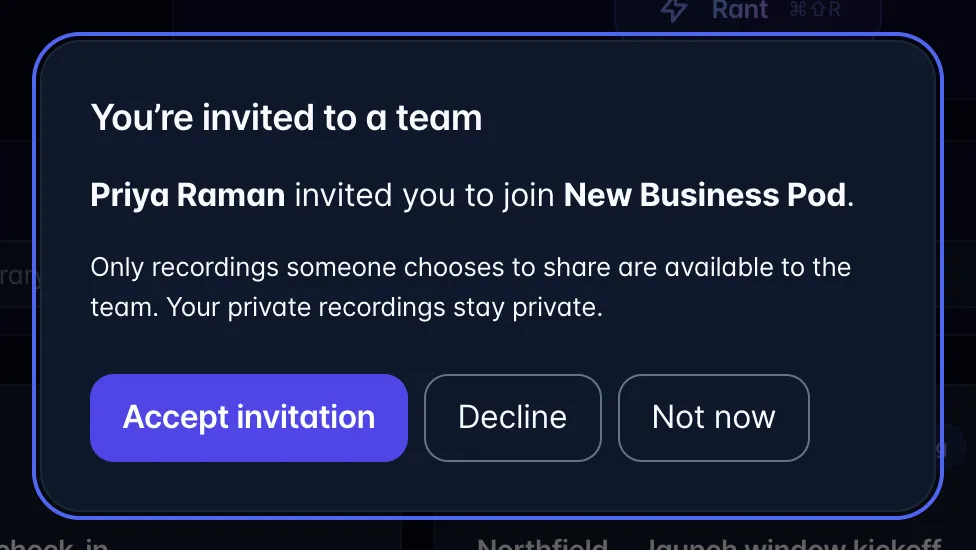
- After acceptance, open the team in the sidebar to see recordings explicitly shared with it. Private recordings are not automatically shared.
Invitations are tied to the invited email and expire after seven days. Ask the sender to resend an expired invitation. Already accepted links show an already-member result.
A team invitation gives collaboration access while you keep your own billing. A seat invitation from Plan & billing provides access through the payer's purchased seats. Accepting a team invitation does not cancel, transfer, or replace an existing paid subscription.