
Command palette (⌘K / Ctrl+K)
What it is
A search-and-jump box that opens over whatever you're doing. Type a few characters to find a recording or an entity, or press Enter to send the question to the AI chat instead.
Where it lives
Nowhere: it has no button in the main UI. Press ⌘K (Mac) or Ctrl+K (Windows/Linux) from anywhere in the app. It also works while your cursor is in a text field. Pressing the shortcut again closes it. Escape closes it. Clicking the dimmed background closes it.
The only visible entry point is the small "⌘K · search + AI" chip inside the Memory's view options.
How to use it
- Press ⌘K.
- Type. Results appear as you type (entity results are fetched after a short pause, so they land a moment behind the rest).
- Arrow up/down to move; Enter to open the highlighted row; or just click.
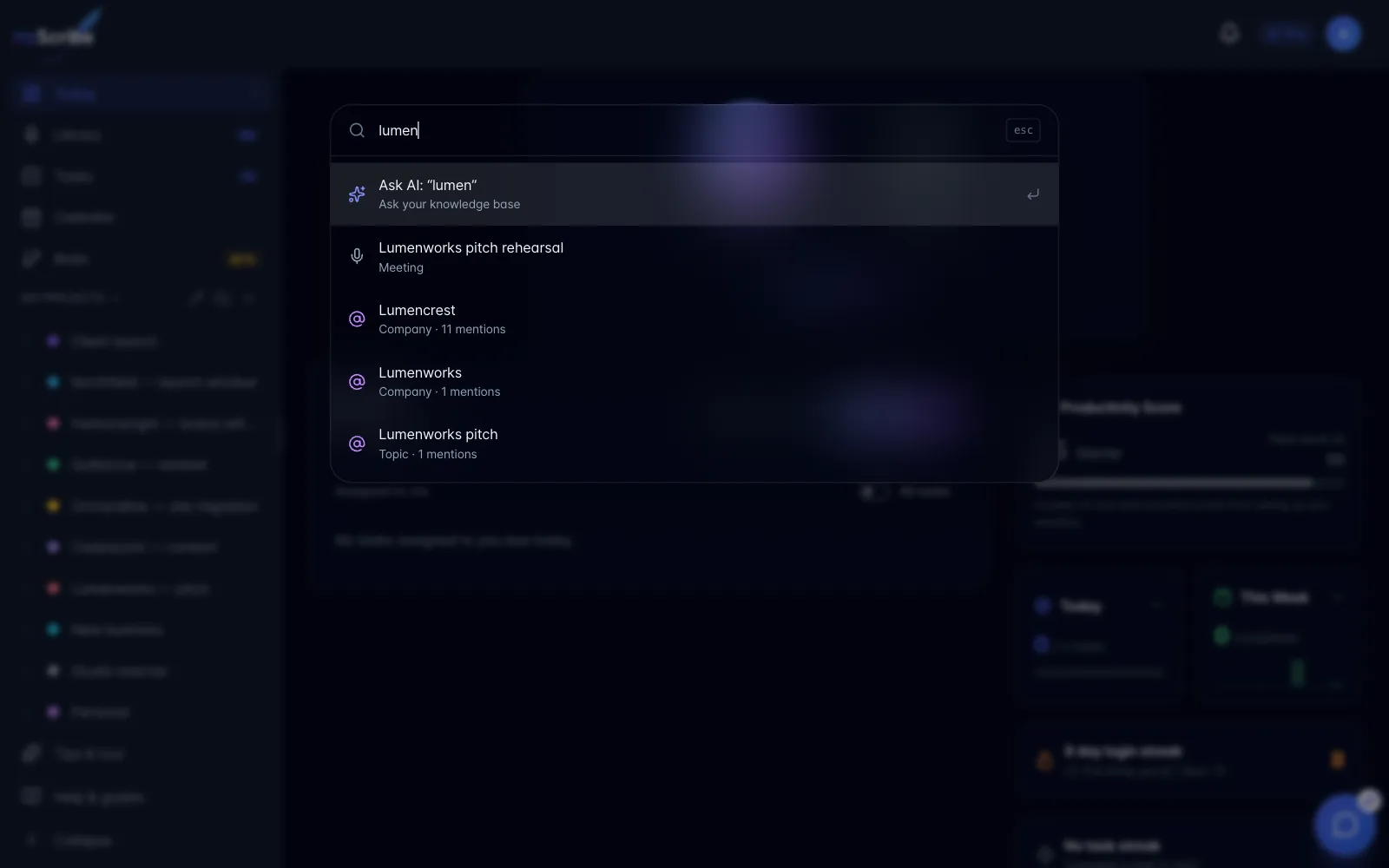
What's in the results
- Row 1 is always "Ask AI": with a query typed it reads
Ask AI: "your query". Choosing it opens the floating workspace chat with your question typed into the input box. It does not send the message: you still press send. Deliberate, but people will assume otherwise. - Recordings and content, matched on title only, maximum 7.
- Entities (people, companies, topics…), matched on name, maximum 6, sorted by how often they're mentioned. Choosing one jumps to the Memory and glides the camera to that entity.
- With an empty box you also get "Open Memory".
- If nothing matches: "Nothing in your library matches "…": hit Enter to ask the AI instead."
Limits and gotchas
- It does not search transcripts. Titles and entity names only. If a user says "⌘K can't find the meeting where we discussed X", they need the Library search box (section 3) or the AI chat.
- It does not search projects, despite the search box saying "Search your knowledge base". Project rows are never produced.
- Entity results and the "Open Memory" row only appear if the Memory beta is switched on for the account. With the beta off, ⌘K is a title-search + Ask AI box and nothing more.
- Entity search needs at least 2 characters.
- It overrides the browser's own ⌘K/Ctrl+K (which normally focuses the address bar in Chrome and Firefox). Expected, but worth mentioning.
- Entity results are scoped to your primary workspace, the same limitation as the Memory.