
Reading the "Usage & cost this month" panel
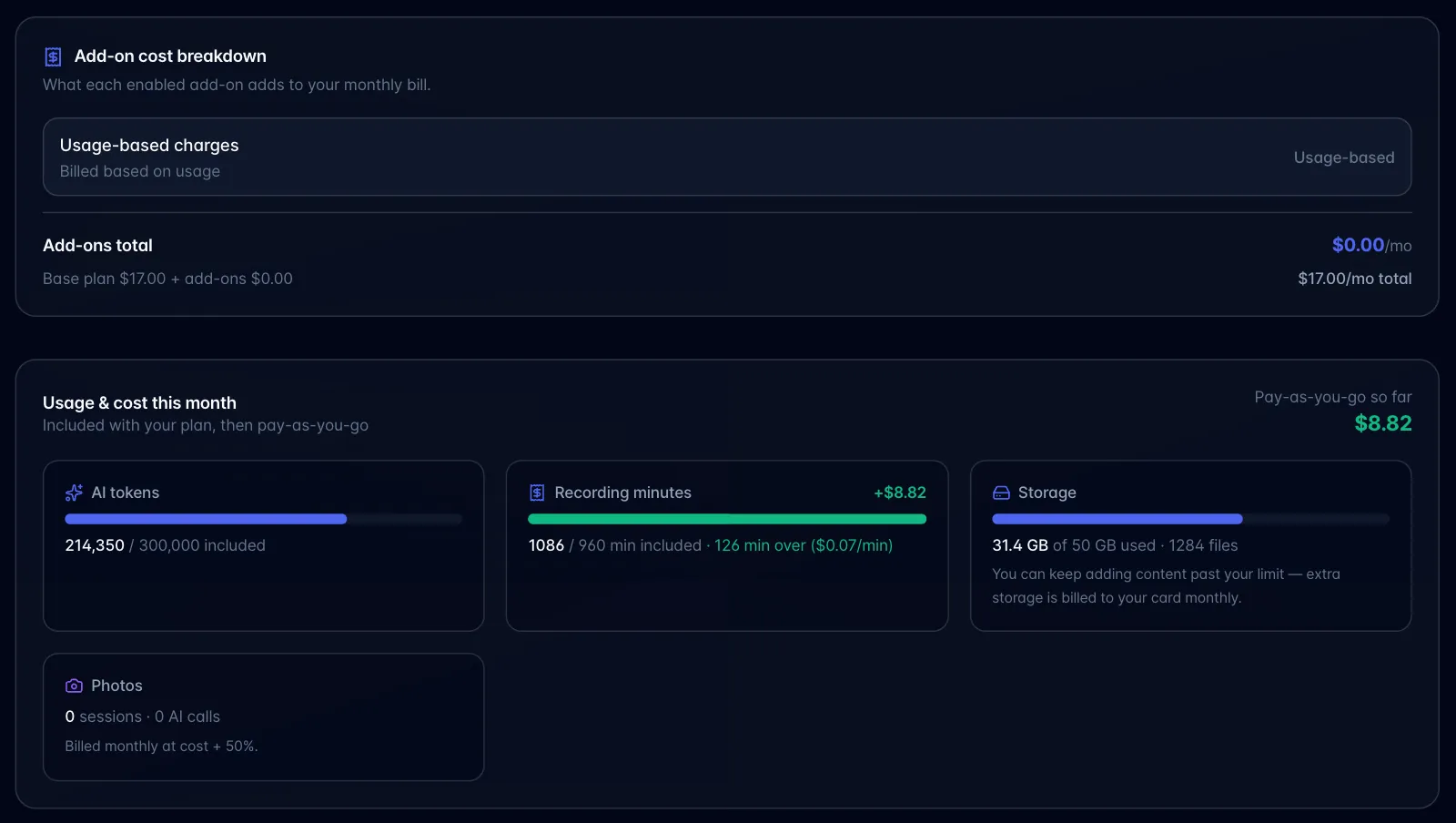
The Plan & billing modal shows up to five tiles plus a total. On the Free plan you see Recording minutes, Storage and Photos. The Recording minutes tile reads "N / 60 free min this month" and never shows minutes over, because Free recording stops at the limit instead of billing. The panel's subtitle on Free reads "Free recording stops at your monthly minutes. Extra storage bills to a card on file."
- AI tokens: org-wide, hidden if the plan has no pool.
- Recording minutes: org-wide pool over the billing period (a flat 60 on Free).
- AI Employee Pro chat: only on AI Employee.
- Storage: org-wide, always shown once storage data loads (so even Free users see their 2 GB meter).
- Photos: photo sessions and AI calls this month ("N sessions · N AI calls"), with "Billed monthly at cost + N%" and this month's photo charge.
- Top-right: "Pay-as-you-go so far": the sum of AI, recording, Pro-chat and photo charges, shown once it is above zero. It does not include the projected storage overage, which is shown separately in amber on the storage tile.
Below it, "Add-on cost breakdown" pulls the live line items from Stripe and shows what each add-on costs per month. Metered items show as "Usage-based" with no figure. If an account discount is applied, the note "Prices reflect your N% account discount. Metered usage is billed separately on your invoice." appears.
Settings → Usage shows a different set of numbers on purpose: it is your personal recording usage over the calendar month, compared against your own per-seat allotment, and it includes non-exempt recordings shared with you. Expect customers to notice the two screens disagree.