
Reminders
What it is. A nudge before a task is due: a bell notification in myScribe, and an email.
Where. Task detail sheet → Details tab → the Reminder card. It only appears once the task has a due date.
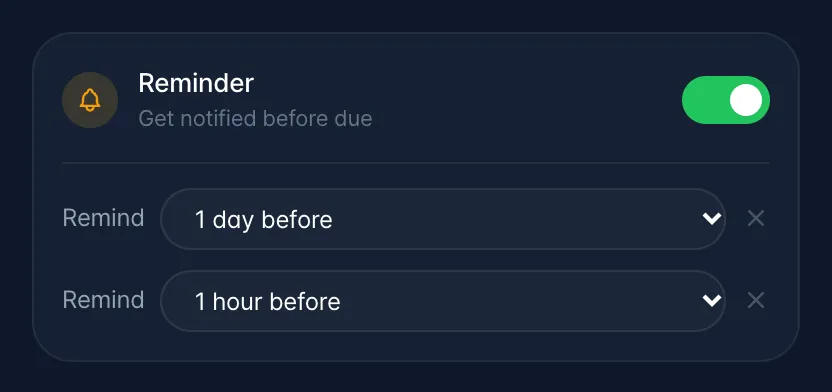
How. Turn the toggle on and choose when: At time of event, or from 15 minutes to 30 days before. Add another gives you a second reminder; two is the maximum, and each one fires at its own time. Like everything else on the Details tab, it saves when you press Save Changes.
Gotchas
- The task must have someone assigned. An unassigned task never sends a reminder, however it is set: there is nobody to send it to.
- Times follow the assignee's time zone. The due date and time are read in the zone the assignee chose in Settings → General → Timezone. If they never chose one, US Central time is used. A task with no due time counts as due at 9:00 AM.
- Reminders are one-shot. Once one fires it is removed from the task, so a task you keep pushing back needs its reminder set again.
- At time of event fires at the due time. The check runs every five minutes, so any reminder can arrive a few minutes after its set time. A reminder that is still unsent 15 minutes after the due time is dropped without sending.
- Turning off Upcoming Tasks → Email in Settings → Notifications stops the emails. The in-app notification still arrives.
- Tasks pulled out of a meeting get a reminder automatically only when the AI picked up both a due date and a due time: one day ahead if that is more than a day away, one hour ahead if it is between one hour and one day away. A task with a date but no time gets no automatic reminder; set one on the Reminder card.