
The task detail sheet
Where: click any task row or card anywhere in the app. On mobile it is a full-height sheet you can swipe down (from the header) to dismiss; on desktop it is a centred panel. Esc closes it.
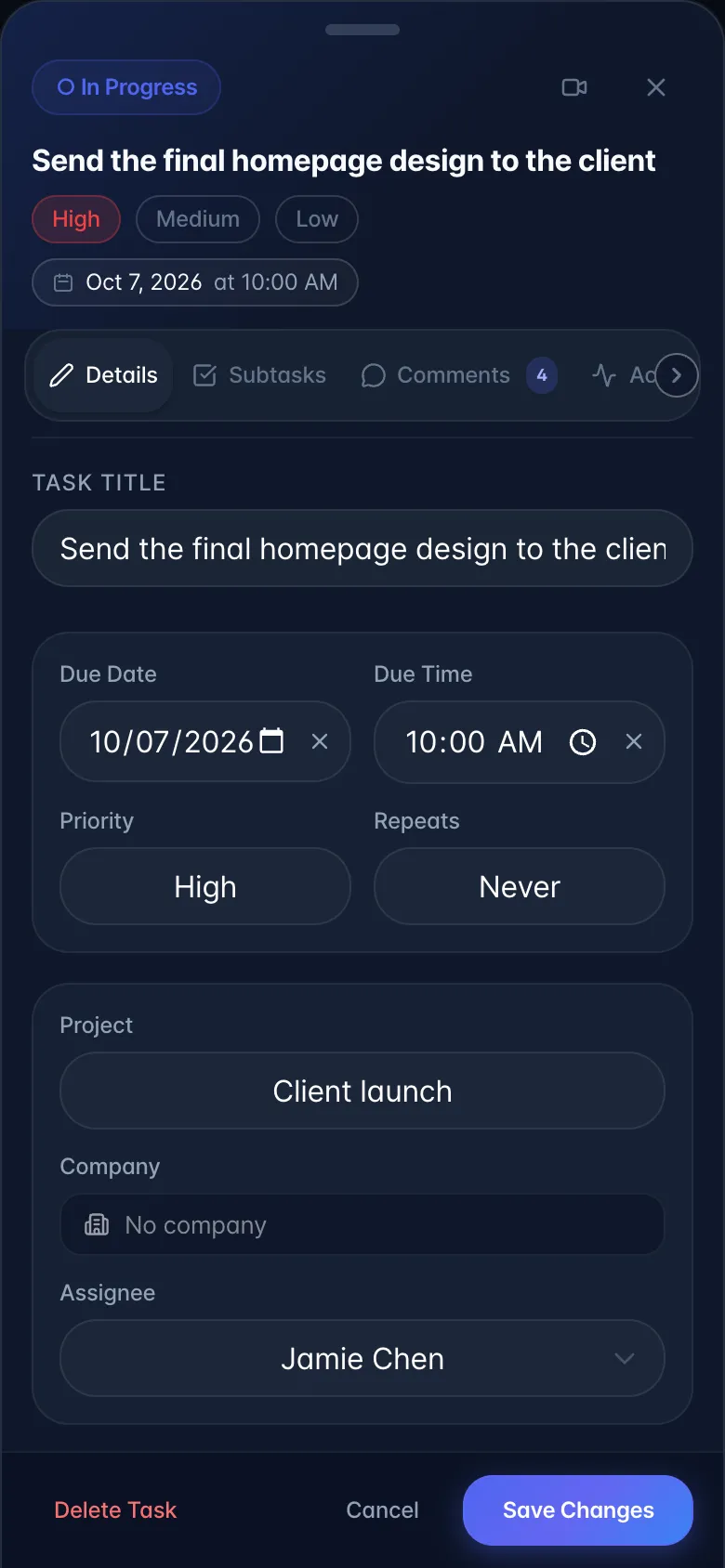
Header: a status toggle (saves immediately, on its own). An open task shows the same status as its Tasks board column (To Do, In Progress, In Review or Done); tap it to mark the task Completed, and tap again to reopen it. Then quick priority chips, a due-date chip, a link to the source recording if there is one, and a close button.
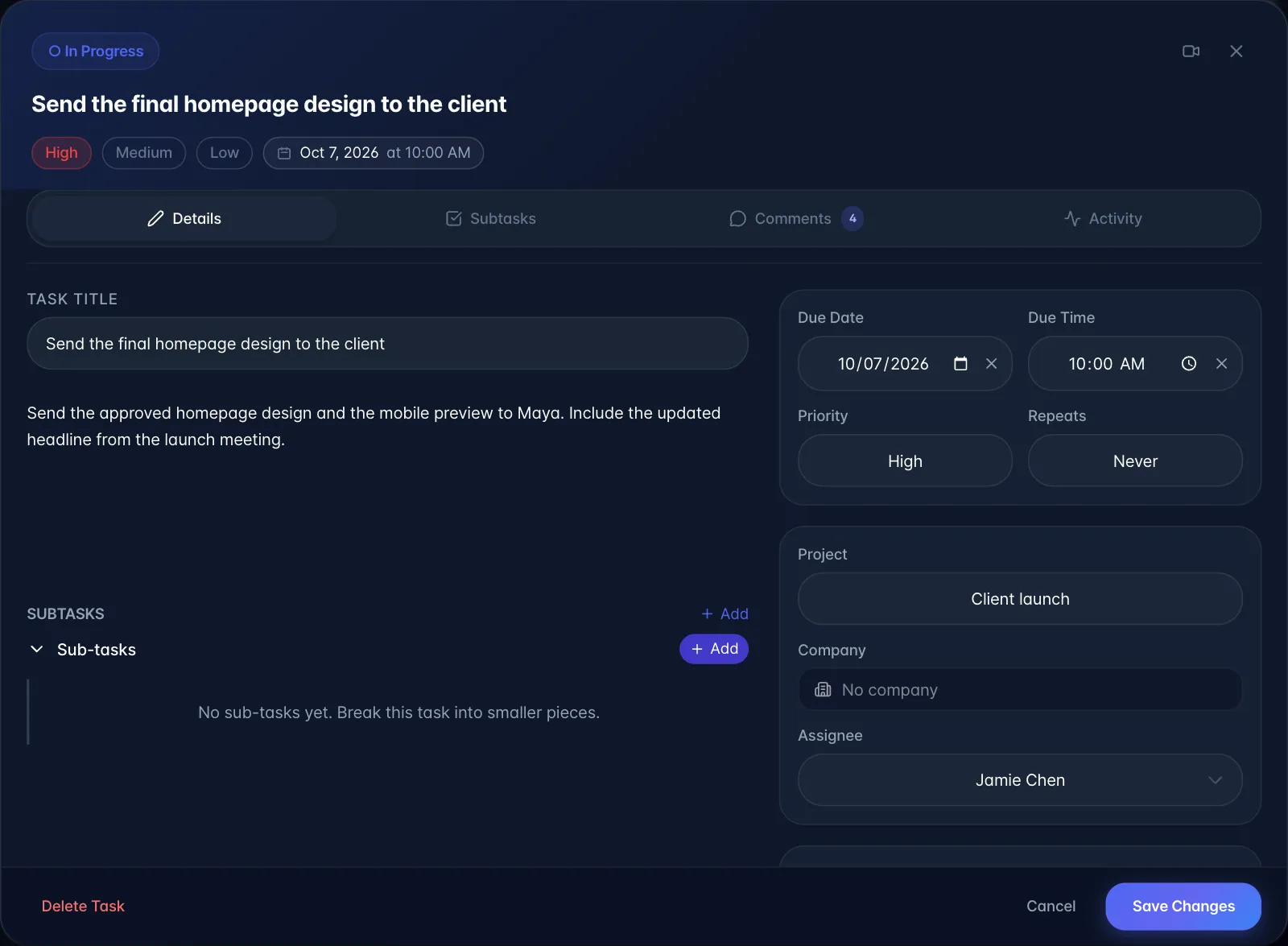
Four tabs:
| Tab | Contains |
|---|---|
| Details | Title, due date, due time, priority, Repeats, Project (+ create new, with a colour picker), Company, Assignee, Labels, Notes, inline Sub-tasks, Reminder, Add to Calendar, link to source recording |
| Subtasks | The same sub-task manager, full width, with a progress bar |
| Comments | Chat thread, @mentions, and the AI chat toggle (Comments and the in-task AI chat) |
| Activity | Automatic history of the task |
Important behaviour
- Everything on the Details tab needs Save Changes. The only things that save instantly are the header's Completed toggle, labels, and sub-task edits. Closing without saving loses your edits.
- Add to Calendar opens Google Calendar or Outlook in a new tab pre-filled, or downloads an
.ics(the standard calendar file Apple Calendar and Outlook can import) for Apple Calendar. It creates a 30-minute event at the due time (9 am if no time is set). It is a one-off export: later edits to the task do not update the calendar entry, and there is no ongoing sync. - Detected names inside the title render as clickable chips (Assignees, named speakers, and name aliases).
- If the source recording was deleted the link turns red and reads "Recording Unlinked".
- The Comments tab makes the panel much wider on desktop.