
Sub-tasks
What they are: child tasks of a task. They are real tasks: they show up in searches, on the calendar and in counts.
Where: task detail sheet → Subtasks tab, or the inline "Subtasks / + Add" block at the bottom of the Details tab. Rant Mode can also create them (Creating a task: five different routes).
How: press + Add, type a title, press Enter. Enter saves and closes the composer; Esc cancels. Tick to complete, click to rename inline, bin icon to delete (with a confirm). A badge (for example 1/4) and a progress bar in the Sub-tasks header show how many are done.
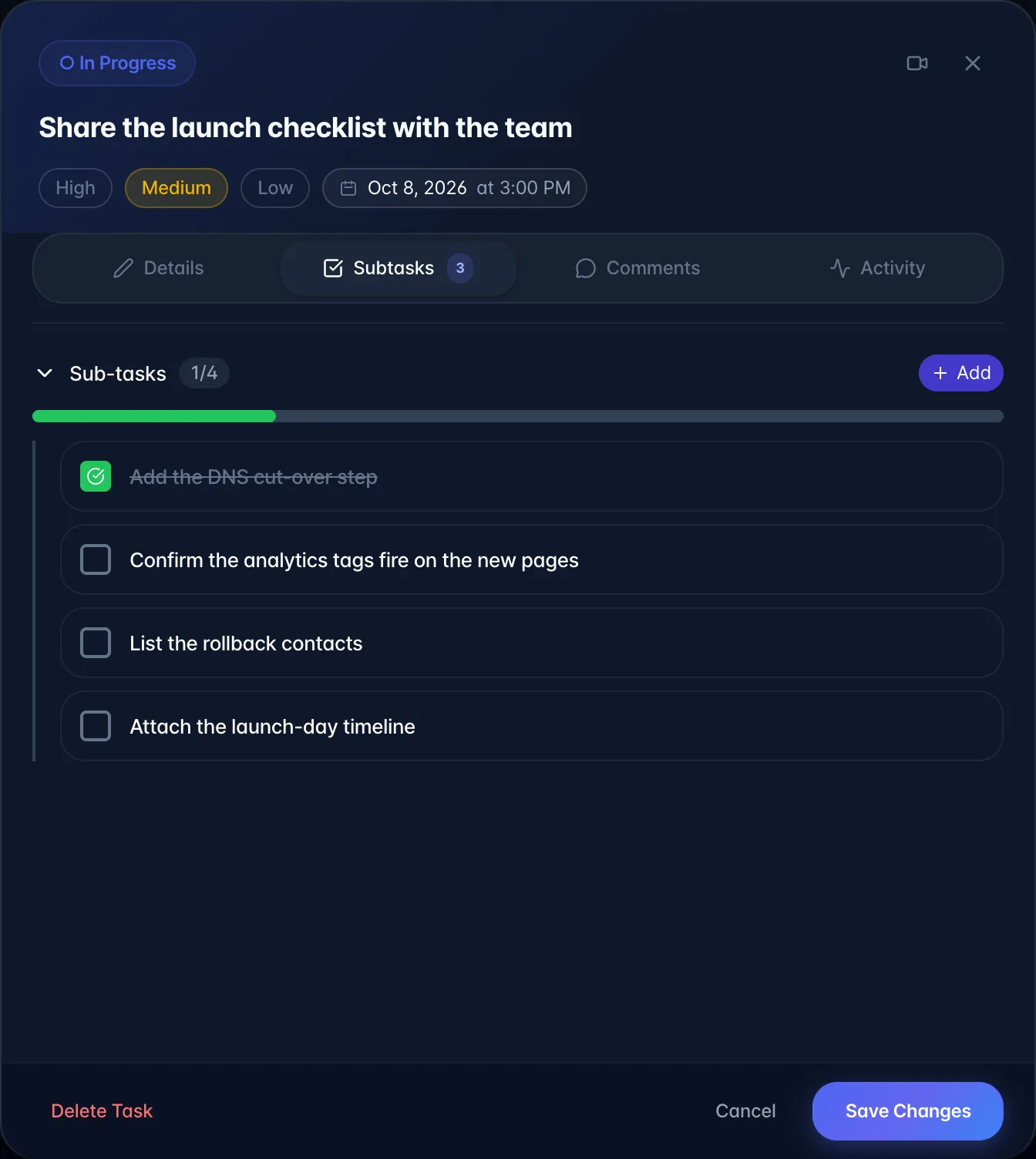
What it actually does: a new sub-task inherits the parent's project and source recording, gets medium priority, and nothing else. Creating and deleting a sub-task both offer an Undo.
Gotchas
- The composer takes a title only, no due date, assignee or priority. Set those by opening the sub-task itself from the List view.
- Completing all sub-tasks does not complete the parent, and completing the parent does not complete the sub-tasks.
- Sub-tasks are invisible on the Board (see The Tasks page) but do appear indented in List view and as their own entries on the calendar.
- Only one level deep is used in practice; the list view will indent deeper if data exists, but nothing in the interface creates a grandchild.