
Assignees, named speakers, and name aliases
Two kinds of assignee
- A workspace member: a real account. They get notifications, can comment, and can be emailed.
- A named person with no account: just a name stored on the task ("Brad"). As the assignee, the name shows as a coloured chip with a tick, the same style as a linked member. Fully usable for filtering and grouping, but they receive nothing.
The meeting extractor deliberately produces the second kind: if a task is given to someone who is not on your team, it records their name and leaves the account link empty rather than mis-assigning it to whoever was speaking.
Name chips
Anywhere a name appears (the assignee chip, or a name detected inside the task title) it renders as a clickable chip.
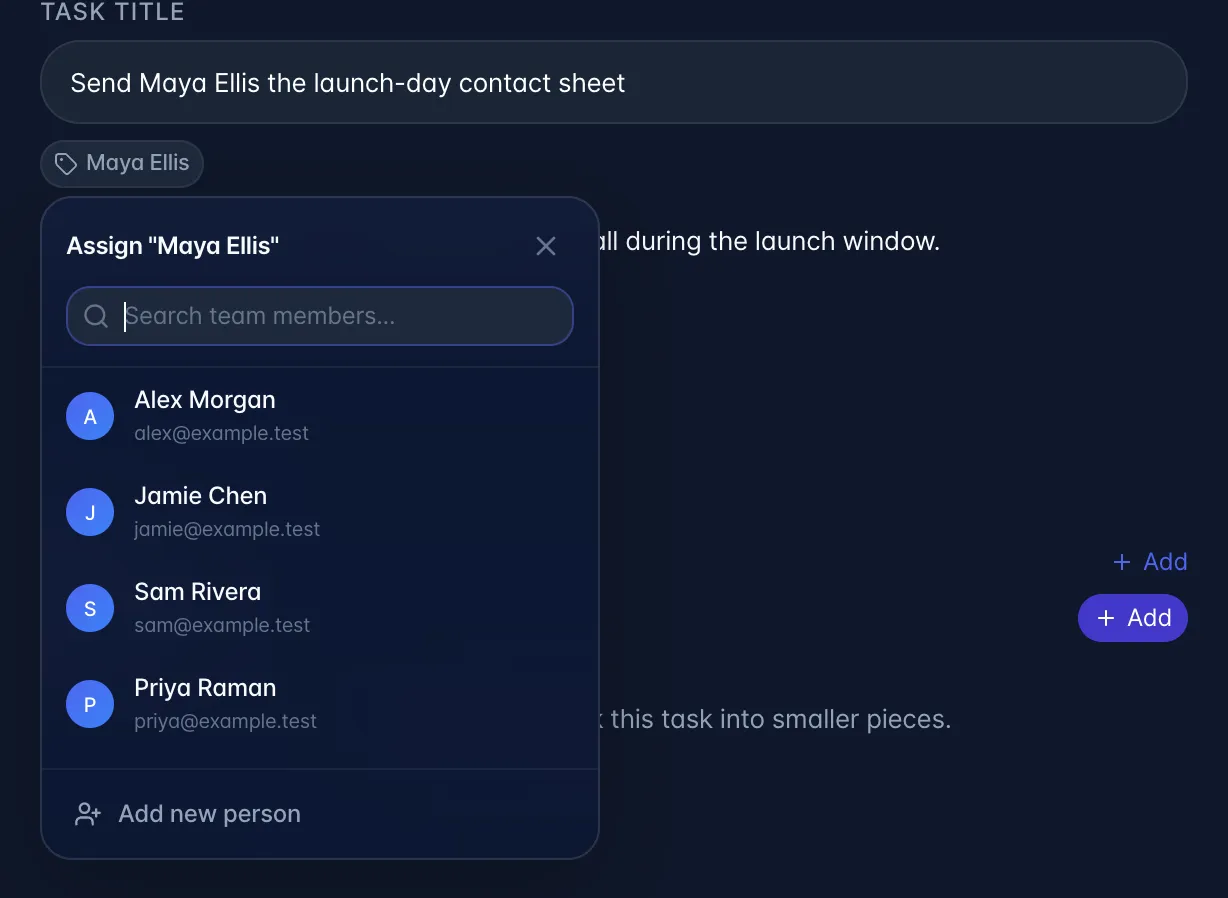
- Grey chip (not assigned): a name found in the task title that is not the task's assignee. Clicking opens a small popup with a search box over your team, a Speakers & Assignees section, and Add new person. Speakers & Assignees lists names from the recording's speakers and other task assignees who are not members. It is filled in on a recording's Actions tab; from the task detail sheet it stays empty, so only your team and Add new person appear there.
- Coloured chip with a tick (assigned): the task's assignee, whether a linked member or a name with no account. Clicking opens a card with that person's other tasks. The top of the card shows the email of the linked myScribe account under the name, with a You tag when it is your own account. A name with no account says Not linked to a myScribe account. Use the email to tell apart two people with the same first name. Click the name to reassign: Team Members lists you first, marked You, with each person's email. The x on the chip unassigns.
Add new person asks for a full name and an optional email. If you supply an email, a checkbox appears to invite them to the team: that sends a real invitation email. When the chip belongs to a task from a recording, another checkbox offers to share the recording with them.
What linking actually does: it sets the assignee on that task, registers the person in your workspace contacts, records a mention, and (if you linked a real member and the task came from a recording) automatically shares that recording with them. Anyone already in your workspace (or named as a speaker on the recording) is spotted by a single first name. For someone myScribe has never seen, only a two-word "First Last" pattern counts, and a long stop-list ("Follow Up", "Next Week", weekday names, tool names, and so on) is excluded, because single capitalised words on their own were too noisy.
Name aliases
What they are: extra names you answer to, so the meeting AI links tasks to your account when someone calls you "Izzy" instead of "Israel".
Where: click your avatar → your profile → the aliases section. Add and delete only; there is no edit.
What it actually does: aliases are loaded for every team member and handed to the extraction AI as context. They are only used at extraction time: adding an alias does not retroactively re-link existing tasks.
Plan: none of this is plan-gated.