
What the assistant can actually do
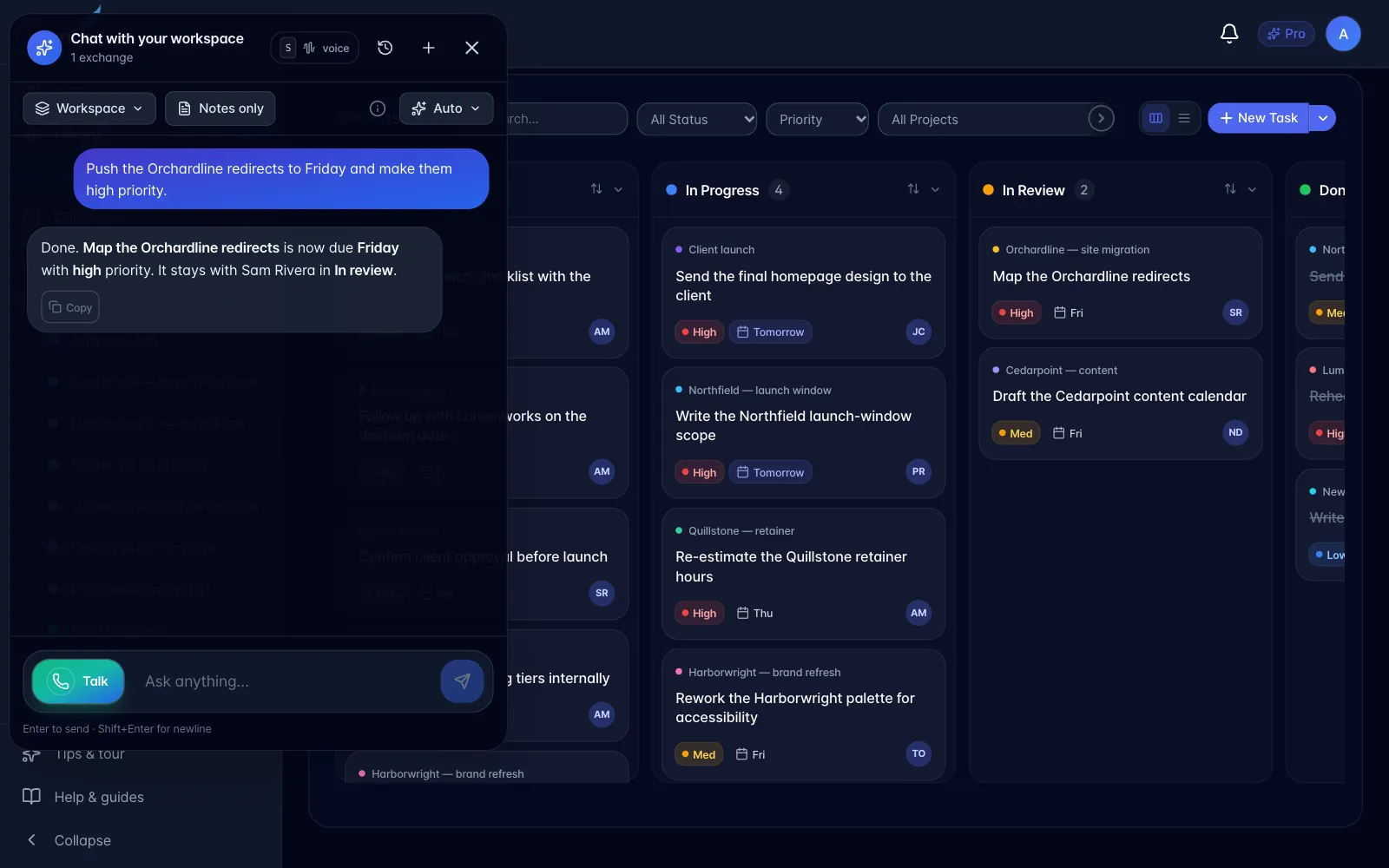
Beyond answering, it can act. Ask for a specific change and check the result in the relevant task, project, or calendar.
| It can | Notes |
|---|---|
| Create or email a recording guest link | Typed workspace chat offers a recording preview; recording chat uses the open recording automatically. Both offer email approval. All four sharing options are included. An explicit send-now request with the exact recording and email can skip approval. |
| Create a task | Just ask. Reversible, so it does it and confirms. |
| Set every field on a task | Project, due date and time, repeat, assignee, priority, status, description, category, reminders: on a new task or one that already exists. |
| File a task under a project | Name the project out loud; it matches by name. Works after the fact: "connect that one to RegScrape". |
| Make a task repeat | Daily, weekly or monthly. The due date is the first occurrence; completing one creates the next. |
| Move a project into a folder | "Put RegScrape under the AI folder." It asks before creating a folder that doesn't exist. |
| Rename or create projects and folders | |
| Put meetings into a project | It can find up to 50 meetings in a date range, select the ones related to a topic from their titles and summaries, create the named project when requested, and link the meetings without creating duplicates on a retry. |
| Reorganise a batch of tasks at once | "File all the unfiled ones under Camino", "push everything overdue to Friday". |
| Reschedule, reprioritise, rename, or complete a task | "Push this to Friday", "mark that done" |
| Look up what is due | "What am I forgetting?" |
| Schedule a meeting with a Google Meet link | Needs Google Calendar connected |
| Email meeting invites | Attendees get a proper branded invite |
| Send an email on your behalf | Only when you explicitly ask |
| Search your library | By meaning, exact words, date, or person |
Anything another person will see (an email, an invite, a meeting) it confirms with you first and waits for a clear yes. Reversible in-app changes like adding a task it simply does.
Emails come from myScribe on your behalf, with replies routed back to your address. It cannot send from your own mailbox.
Email limits. One message goes to at most 10 people, and 10 people a day in total: counted per person, over a rolling 24 hours rather than a calendar day. Meeting invitations and team invitations come out of the same ten; your own copy of an invite does not. If a request would go past either limit it says so plainly and offers to send the largest batch that fits. This is a deliberate guard, not a plan limit.
When it schedules or invites, you get a copy. Your own invitation lands in your inbox with the join link and the full guest list, so you have a record of exactly who was invited.