
Choosing a model
The workspace chat panel's header has an Auto / Pro / Fast model picker. Recording Chat instead shows Standard and Premium inside the message box; choose the available option there and check any usage prompt. Scribe, the chat inside a task, and voice always use the fast model, so there is nothing to choose there.
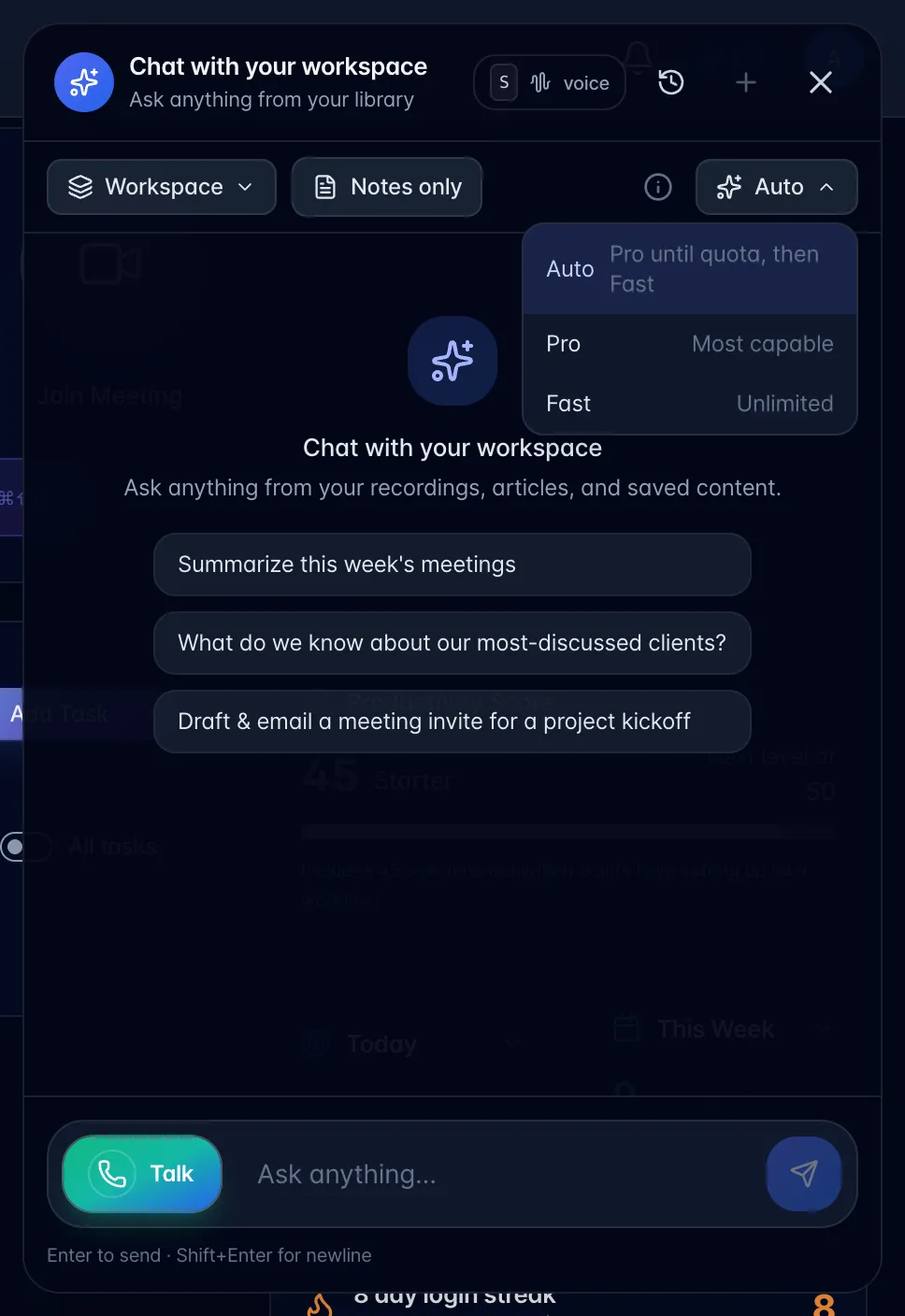
- Auto: the safe default. Its caption reads "Pro until quota, then Fast" on every plan. On Pro w/ AI Employee it runs the most capable model until your monthly Pro turns are used, then keeps going on the fast one (or bills the extra turns if you have a card on file). On every other plan, Auto answers on Fast and does not use your free Pro answers.
- Pro: the most capable model. Pro w/ AI Employee includes 200 Pro turns a month. On other paid plans you get three free Pro answers a week, so you can feel the difference; after that, Pro requests are answered on Fast.
- Fast: quick, and unlimited on Pro and above. On pay-as-you-go you get five free AI answers a week, shared across every chat in the app.
Voice conversations and the introduction always use the fast model.