
Your Today briefing
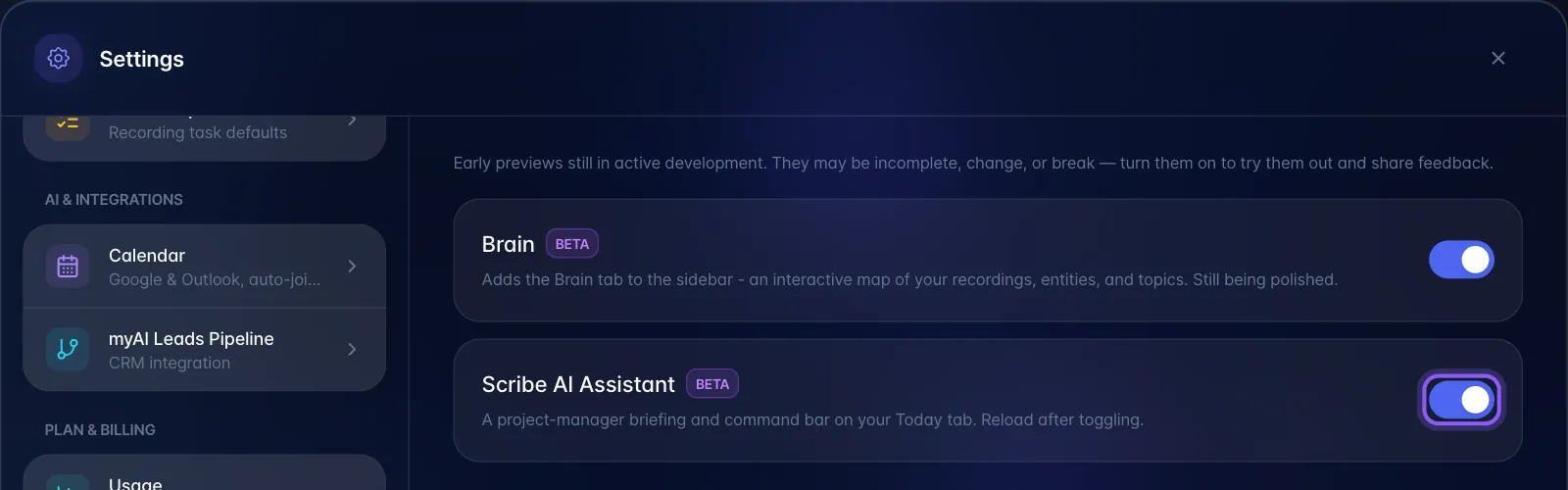
The briefing and Scribe Focus are part of the Scribe beta and are off by default. To show them, open Settings → Experimental Features, turn on Scribe AI Assistant, then reload myScribe. The setting applies to that browser or device.
- Choose Today, This Week, or This Month. These use the dates shown above the list: today, the next 7 days, or the next 30 days.
- Select the compact sparkle row, Today's briefing, This week's briefing, or This month's briefing, to open it. It starts collapsed and has no filled button. Select the row again to close it.
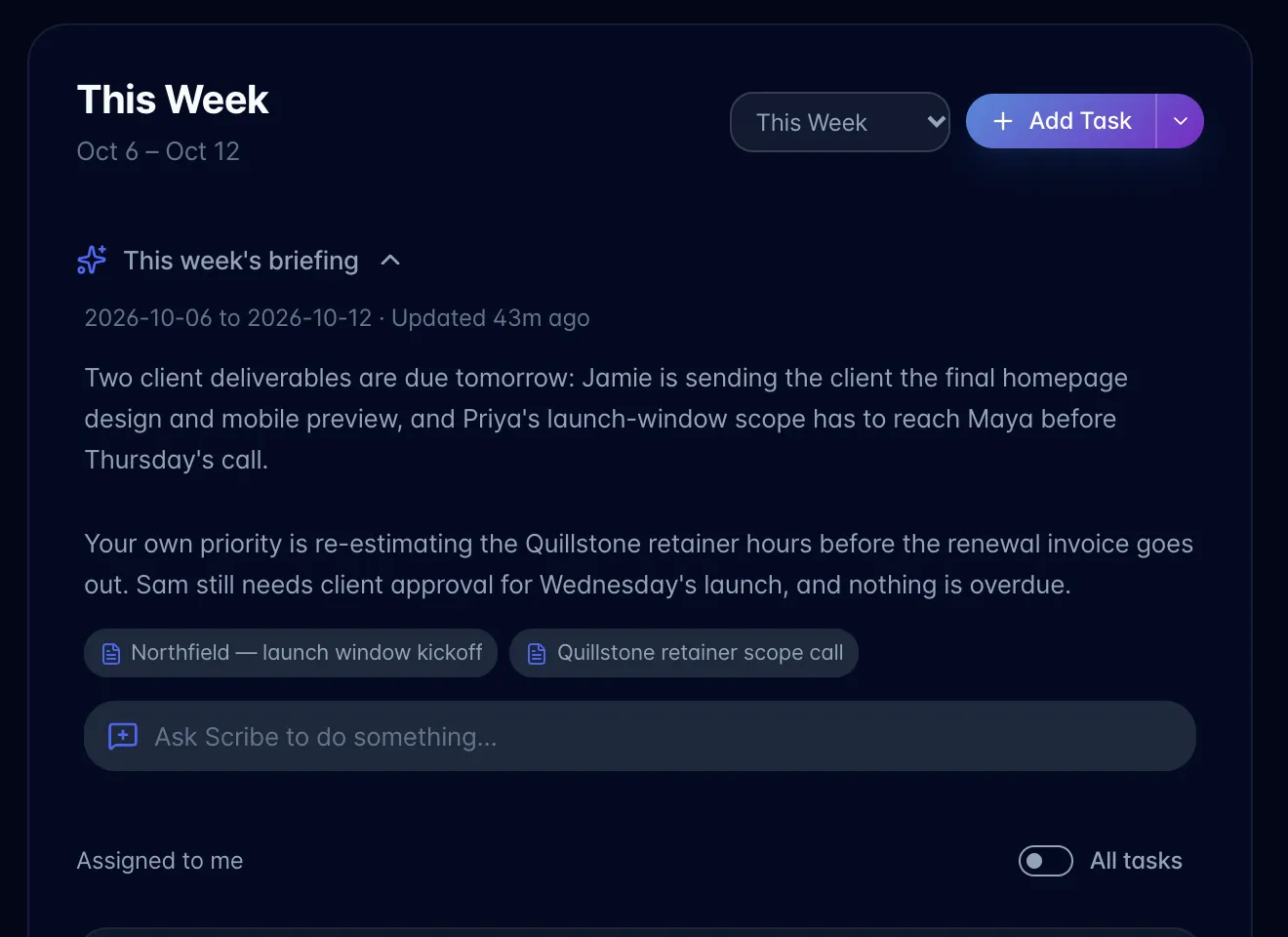
- Opening requests a briefing for that date range. Daily briefings focus on immediate priorities, weekly briefings on upcoming deadlines and sequencing, and monthly briefings on milestones and workload. Overdue tasks are described separately from tasks due within the range.
- A matching saved briefing is reused. A different date range or new completed recording content can generate a new briefing when opened. Merely viewing the collapsed row does not generate one. Recently opened ranges are also retained for this view session.
- Open Ask Scribe to do something… to discuss the briefing. Check dates and task status in the task list before acting.
Personal recordings retain their existing global AI privacy rules. The briefing is a saved summary, not a continuously refreshed task count. The All tasks toggle filters the task list, not this workspace briefing.